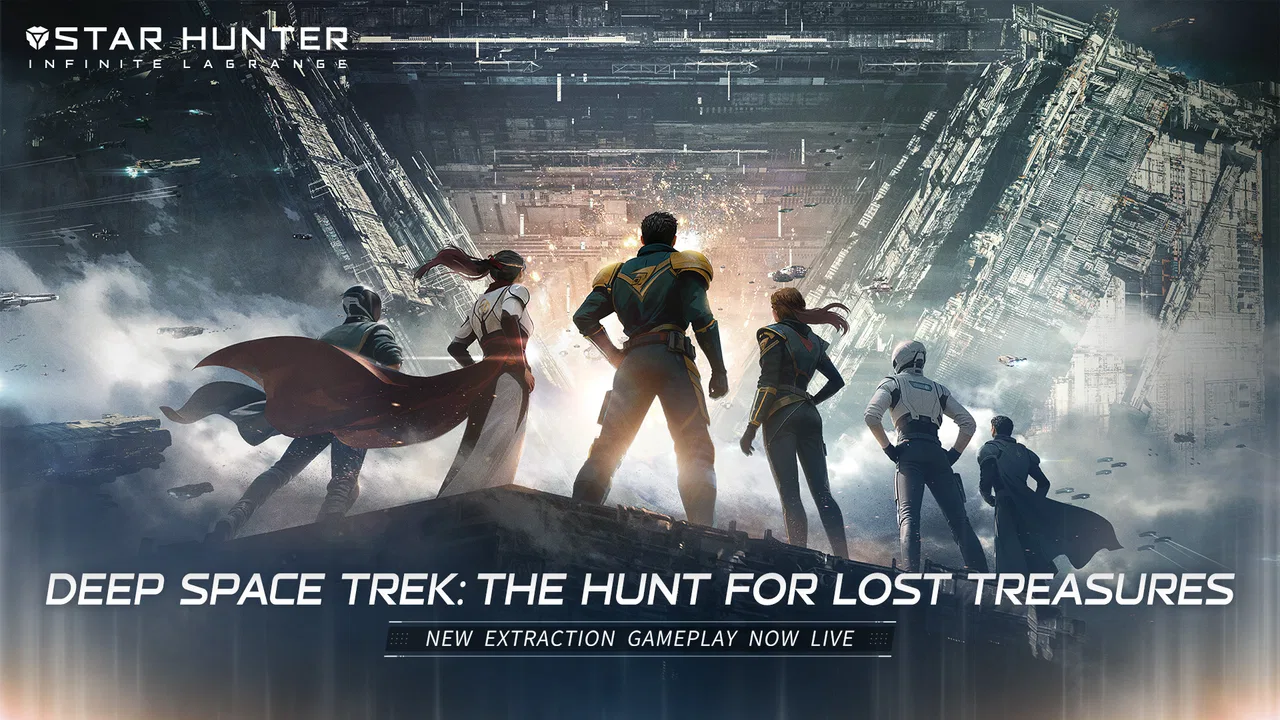
Star Hunter-Infinite Lagrange
- 3.7
- Rating
- 1.00M
- Installs
- Free
- Price

 Analysis by App-foxy
Star Hunter-Infinite Lagrange is a free strategy game from Exptional Global that asks for more patience than its short store summary suggests. I spent time with it as the kind of player who enjoys planning a fleet, checking the consequences of a decision, and returning to a long-running campaign rather than chasing a quick match. Its space setting is attractive, but the real appeal is the feeling of managing several connected decisions at once.
The game has passed one million installs, and its average score sits at 3.7 from roughly 68 thousand ratings. That combination tells me something useful: there is a sizeable audience, but the experience is not universally smooth or immediately friendly. I can understand both sides. When the game is running well, it offers a satisfying strategic routine. When the interface, connection, or early learning curve gets in the way, it can feel much more demanding than a typical mobile game.
What the first session really demands
The opening hours are not best approached as a quick tutorial that I can tap through while doing something else. I need to read the available instructions, notice what each menu is asking me to manage, and resist spending resources simply because an upgrade button is visible. The game becomes easier to understand once I treat the first session as preparation for a longer campaign rather than a test of how quickly I can unlock screens.
You May Also Like

 Blood Strike: 2.5 Anniversary
Blood Strike’s Loadouts Turn Every Drop Into a Tactical Gamble
A close look at Blood Strike’s custom loadouts: how fast access to signature weapons reshapes its battle royale rhythm, rewards preparation, and narrows the gap between fights.

 Pandora - Music & Podcasts
Pandora’s Music Is Easy to Start, but Harder to Recover
Pandora’s strength is its low-effort path from a seed to a station. Its weak spot is how much confidence it asks you to place in connection, setup, and quiet recovery.

 8 Ball Pool
 Is Built on Rivalries, Rematches, and Routine
A close look at the rivalries, rematches, shared routines, and unanswered safety questions that turn a quick pool match into a persistent mobile community.

 Samsung Music
’s Quiet Strength Is Playing What You Already Own
Its reach comes less from spectacle than from dependable access to a personal library. That simplicity is both the app’s strongest retention engine and its ceiling.

 AccuWeather: Weather Radar
AccuWeather Review: A Quick, Clear Forecast for Everyday Decisions
For everyday plans, the best forecast is the one you can understand quickly. AccuWeather makes rain timing, radar, and local conditions easy to act on, with a few trade-offs.

 Hill Climb Racing
Why Hill Climb Racing Still Turns Crashes Into One More Run
A tiny car, a bumpy hill and one more upgrade: Hill Climb Racing keeps resurfacing because its simple chaos makes every near-miss feel personal.
More From Our News Desk
View All News


My first practical recommendation is to keep the initial setup simple. Use a stable connection, close demanding apps in the background, and allow the game time to finish loading before assuming that a slow response means a broken installation. Large strategy games often need more time than casual titles to prepare their interface and online state. If a screen appears empty or a command seems delayed, I wait briefly and check whether the rest of the interface is responding before repeatedly tapping the same control.
That small habit matters because repeated taps can make it difficult to tell whether a command was accepted. I prefer selecting one action, watching for a visible change, and then moving to the next screen. It is less exciting than rushing, but it prevents avoidable confusion during the early fleet-building process.
The game is rated Teen, so I would not present it as a simple children’s strategy title. The rating is also a useful reminder that the tone and decision-making may suit older players better than very young users. On compatible devices, it supports Android starting with version 5.0, which makes it accessible to a broad range of phones and tablets, although compatibility alone does not guarantee an equally comfortable experience on every device.
Where players can lose track of progress
The biggest early obstacle is not one particular button. It is the number of things competing for attention. Fleet decisions, progression screens, objectives, and resource choices can blur together when I am still learning the vocabulary of the game. Instead of trying to understand every system at once, I focus on the next clear objective and identify what it requires before changing anything else.
A useful workflow is to pause at the start of a session and decide what kind of play I want from that visit. If I have only a few minutes, I check pending actions and make one or two deliberate decisions. If I have more time, I review the wider state of my fleet and consider whether a change will help immediately or only later. This prevents the common mobile strategy mistake of making permanent choices while distracted.
I also recommend taking notes mentally, or even on paper, when a menu introduces a new term. That may sound excessive, but it helps when two screens appear to describe related goals. The game rewards remembering why I made a choice, not merely noticing that an upgrade or command exists.
Setup checks before blaming the game
When the game fails to load correctly, I start with ordinary checks rather than immediately reinstalling it. I confirm that the device has enough free storage, that the operating system is supported, and that the connection is stable. I then close the game completely and reopen it. If the problem appears only on one network, switching between a reliable Wi-Fi connection and mobile data can help identify whether the issue is local to the network.
I avoid clearing app data as a first step. That action can remove local information and may create unnecessary recovery work, especially in a game built around continuing progress. A safer order is to restart the app, restart the device, check the connection, and only then consider more disruptive maintenance. If an update is available through the relevant app store, installing it is sensible because the current version is 1.2.1263729.
It is also worth checking whether the device is struggling generally. If other demanding apps are slow, the problem may be memory pressure, heat, or limited storage rather than this particular game. Lowering background activity, allowing the device to cool, and freeing space can make a bigger difference than repeatedly changing in-game settings.
For a new installation, I would not judge the game during a rushed commute or while moving between weak signals. A strategy title that depends on a reliable session can feel broken when the real problem is an unstable connection. My best first test is at home, with the device charged and connected to a dependable network, because that removes several misleading variables at once.
Recovering a session without making the problem worse
If a command appears stuck, I first look for evidence that the game is still responding. Can I open another menu? Does a visible counter change? Does the interface react after a short pause? If only one screen is frozen, leaving that screen and returning may be enough. If the whole app stops responding, I close it and relaunch rather than tapping repeatedly or immediately deleting it.
When progress seems missing after reopening, I give the game a moment to reconnect before making new changes. Starting several actions while the previous session is still being restored can make the situation harder to understand. I also take a screenshot of any clear error message before restarting again. That creates a useful record if I need help later, and it is much more informative than saying only that the game “does not work.”
Another practical rule is to separate a loading problem from a gameplay decision. If the game opens normally but I dislike the result of an action, that is not a technical failure. I should not reinstall or erase local information simply because a strategic choice went badly. The right response is to review the decision and adapt the next move.
Purchases deserve the same caution. The game is free to download, but optional in-app items range from $0.99 to $99.99 each. I would play long enough to understand the normal progression loop before spending anything. That is not just a budgeting tip; it helps me identify whether I enjoy the underlying strategy or merely the feeling of unlocking something quickly. I also keep purchase decisions separate from troubleshooting, since spending more should never be treated as a fix for a loading or connection issue.
Three habits that make the strategy clearer
First, I avoid making every decision for immediate power. A choice that looks impressive now may not fit the direction I want for the fleet later. Before confirming an expensive or important action, I ask whether it improves my current objective, supports a longer plan, or simply looks attractive in isolation. That short pause is one of the easiest ways to reduce wasted resources.
Second, I use short sessions for observation rather than constant intervention. I check what has changed, identify the next decision, and leave the game in a sensible state. This suits the genre better than opening the app repeatedly and making random adjustments. It also makes the game easier to fit around work, study, or travel because each visit has a clear purpose.
Third, I keep a distinction between information and action. A menu may show me a new possibility without requiring me to use it immediately. Reading a description, checking a requirement, and returning later is often smarter than committing on impulse. For new players, this is a hidden advantage: the interface becomes less overwhelming when every visible option is not treated as an urgent task.
These habits reveal the game’s strongest quality. It is not simply about collecting a fleet and watching numbers rise. I enjoy it more when I think of each session as a small planning exercise. The trade-off is that players who want instant control may find this slower rhythm frustrating.
When the fault is probably outside the game
Some complaints are easy to attribute to the app even when the device or network is the more likely cause. If the game becomes hot, slows down after many apps have been open, or behaves differently when the battery is low, I look at the phone first. A crowded storage drive can also affect general performance. These checks are basic, but they stop me from making unnecessary changes to a game that may be functioning normally.
Network conditions can be deceptive as well. A connection may be fast enough for browsing but inconsistent during a session that needs regular communication. If loading succeeds at home but fails in a particular public location, that pattern points toward the network rather than the installation. I test in another reliable location before concluding that the game itself is at fault.
Device age is another consideration. The minimum operating-system requirement is Android 5.0, but meeting that requirement does not mean every older device will deliver the same comfort. A phone may technically install the game while struggling with heat, memory, or long sessions. In that situation, a newer device or a shorter play routine may be a better answer than expecting a reinstall to transform performance.
On iOS, I apply the same general logic: check available space, keep the system current, restart the app, and test a stable connection. I would not assume that a problem on one platform automatically represents the experience on the other. The sensible approach is to identify whether the issue follows the account, the device, the network, or a particular installation.
Who will enjoy it, and who should skip it
I recommend Star Hunter-Infinite Lagrange to players who like space strategy with a deliberate pace and who are comfortable learning through several connected screens. It can work well for someone who enjoys checking a developing plan in the evening, making a considered adjustment, and returning later to see how that choice fits the wider campaign.
A realistic everyday scenario would be a short break after work. I open the game on a stable connection, review the fleet, check the next objective, and make one focused decision instead of trying to rebuild everything. That routine gives the game a sense of continuity without demanding that I spend the entire evening playing. The experience is strongest when I treat it as an ongoing strategy project rather than a collection of quick rewards.
I would skip it if I want a self-contained game that works entirely offline, a very short tutorial, or immediate action with almost no reading. I would also be cautious if I dislike free-to-play structures with optional purchases, especially when the available items can reach $99.99. Even without buying anything, the presence of that range may affect how comfortable some players feel with the progression model.
Compared with a simple arcade space game, this is more thoughtful and less instantly accessible. Compared with a traditional premium strategy game, its free entry is appealing, but the mobile structure can introduce more interruptions and more reasons to manage attention. The better alternative depends on what I value: quick action favors an arcade title, a one-time purchase favors a premium strategy game, while this one suits players who want an evolving fleet routine without an upfront price.
My practical verdict
After using it, I see Star Hunter-Infinite Lagrange as a promising but demanding mobile strategy game rather than an effortless space adventure. Exptional Global has built an experience that rewards patience, observation, and careful choices. Its free price makes it easy to try, and the broad install base shows that many players are willing to explore its approach.
The 3.7 average is fair in my view. The game has enough strategic depth to keep me interested, but its learning curve and possible setup friction can make the first sessions feel harder than they need to. I would install it on a supported device, test it under good connection conditions, and spend time understanding the normal workflow before judging it or considering purchases.
My recommendation is simple: try it if you want a patient fleet-management strategy game, but give it a proper setup and a few focused sessions. If you prefer instant action, offline reliability, or a completely predictable one-time purchase, another kind of space game will probably suit you better. For me, the appeal appears when I slow down, make decisions with a reason, and let the campaign develop instead of treating every screen as a demand for immediate action.
That is also why I would recommend Star Hunter-Infinite Lagrange to a friend with the right expectations. It is free, available for older Android versions, and substantial enough to reward returning players, but it asks me to manage both the game and my own attention. Once I accept that trade-off, the fleet planning becomes the reason to stay rather than another obstacle to overcome.
FAQs for Star Hunter-Infinite Lagrange
01What is Star Hunter-Infinite Lagrange?
Star Hunter-Infinite Lagrange is a space-themed mobile game focused on exploration, fleet management, strategic combat, and progression across a large science-fiction universe. Players can build and upgrade spacecraft, recruit or command different units, complete missions, gather resources, and compete against other players. Its appeal comes from combining long-term strategy with an expansive setting, although progress may require patience and regular management.
02Is Star Hunter-Infinite Lagrange free to download and play?
The game can generally be downloaded and played without an upfront purchase, but it may include optional in-app purchases. These purchases can provide resources, upgrades, convenience items, or other advantages that may speed up progression. Free players can still experience the main gameplay, though advancement may take longer and some competitive situations can feel more demanding. Check the store listing for current pricing and purchase details.
03Does Star Hunter-Infinite Lagrange require an internet connection?
Yes, players should expect to need a stable internet connection for most or all of the game. Its online systems, account progression, events, multiplayer features, server-based world, and synchronization depend on communicating with the game servers. Because of this, it is not the best choice for offline play or unreliable connections. Mobile data usage and occasional maintenance periods should also be considered before downloading.
04Is Star Hunter-Infinite Lagrange suitable for beginners?
Beginners can enjoy Star Hunter-Infinite Lagrange, but the game may feel complex at first because it introduces fleet systems, resource management, missions, upgrades, and strategic decisions. The early tutorial and initial objectives help explain the basics, yet understanding the most efficient progression can take time. New players should follow guided tasks, avoid spending resources impulsively, and learn how different ships and systems work before committing to advanced strategies.
05What devices are needed to play Star Hunter-Infinite Lagrange smoothly?
Performance depends on the device, operating system, available storage, graphics settings, and the amount of free memory. Since the game features detailed space visuals, menus, online activity, and large-scale systems, older or entry-level phones may experience slower loading, heat, or reduced frame rates. Before installing, review the current Android or iOS store requirements and keep sufficient storage available for the initial download and future updates.
Pros
- Deep fleet customization and strategic combat options
- Impressive space visuals and detailed ship designs
- Large-scale battles create a strong sense of progression
- Active alliances add cooperation and competitive objectives
- Exploration provides varied discoveries beyond standard missions
Cons
- Resource management can feel demanding as fleets grow
- Progress may slow considerably without regular daily play
- Some menus and systems take time to understand
- PvP encounters can favor established or stronger players
- Large downloads and updates may consume significant storage

Star Hunter-Infinite Lagrange
Gallery